 How to Use FC Owners
 About FC Owners
FC Owners is a website that supports people aiming for independence, business opening, or entrepreneurship with information gathering, self-analysis, and startup preparation.
We offer a variety of useful services to support your independent business launch. Please make full use of them.
Basic UsageClick the "Member Registration" button at the top right of the site's homepage.


Submit the email address you wish to register.
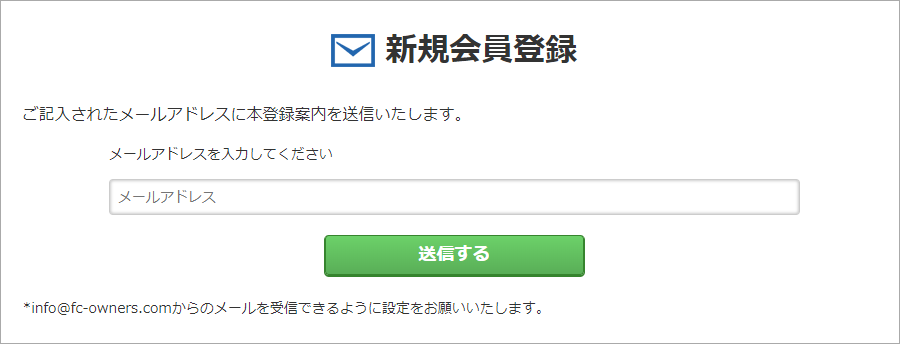
A full registration guidance email will be sent to the submitted email address.
Please complete your full registration by following the instructions in the email.
*Please make sure you can receive emails from info@fc-owners.com.
Once membership registration is complete and you log in, My Page will become your top page.
First, use "Search Businesses" in the left menu of My Page to find franchisors you are interested in.
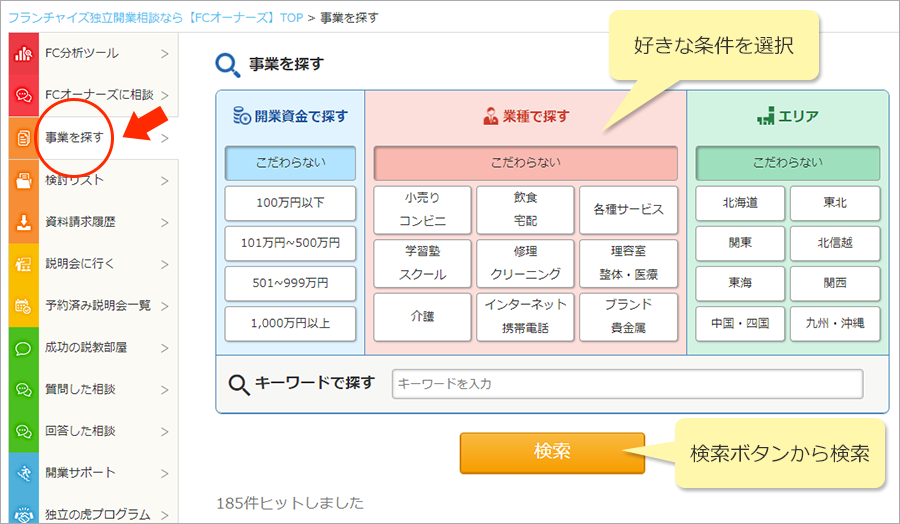
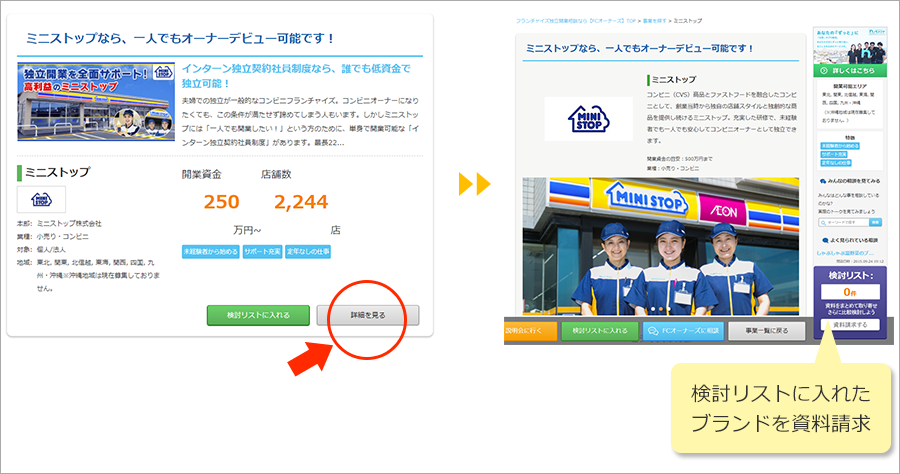
Check the details of brands found in your search and add them to your consideration list.
Request materials for brands added to your consideration list to gather more information.
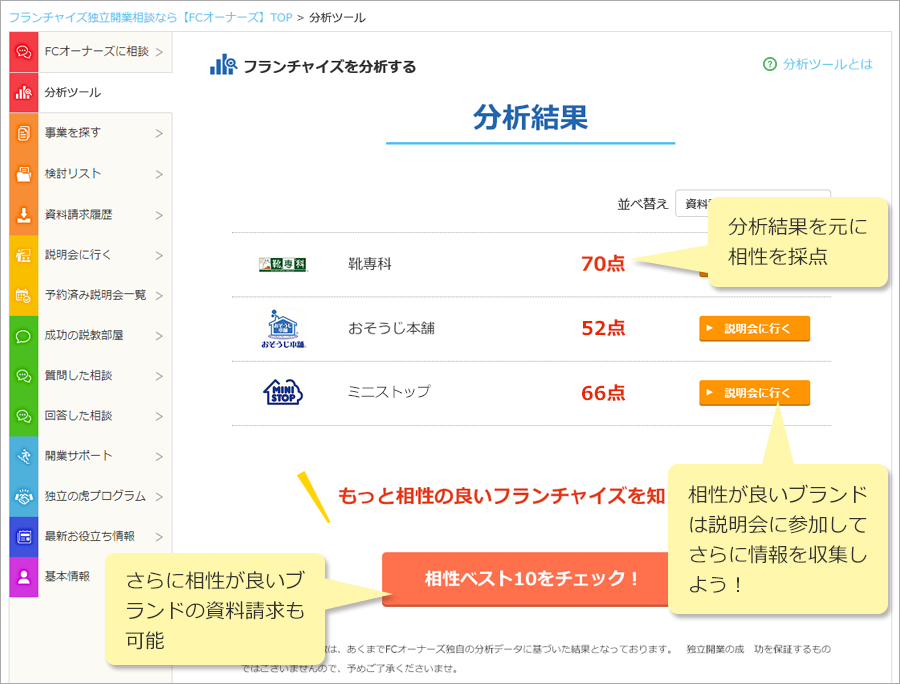
Register the information needed for analysis using the analysis tool on My Page.
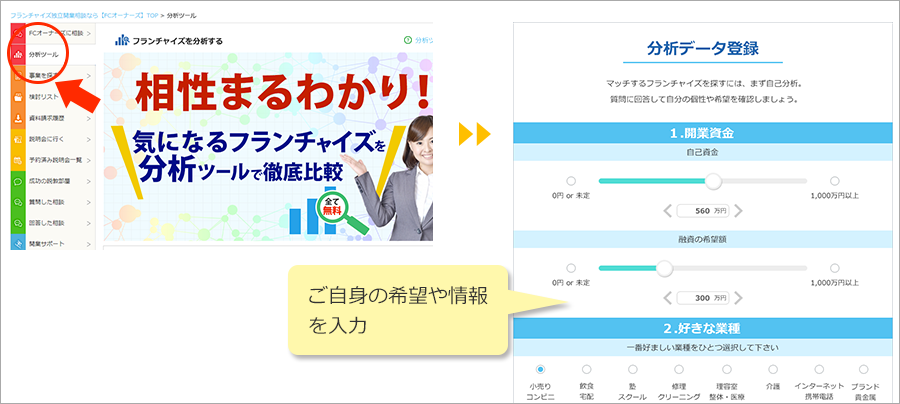
Once you register your information, you can view analysis results for the brands you requested materials from.
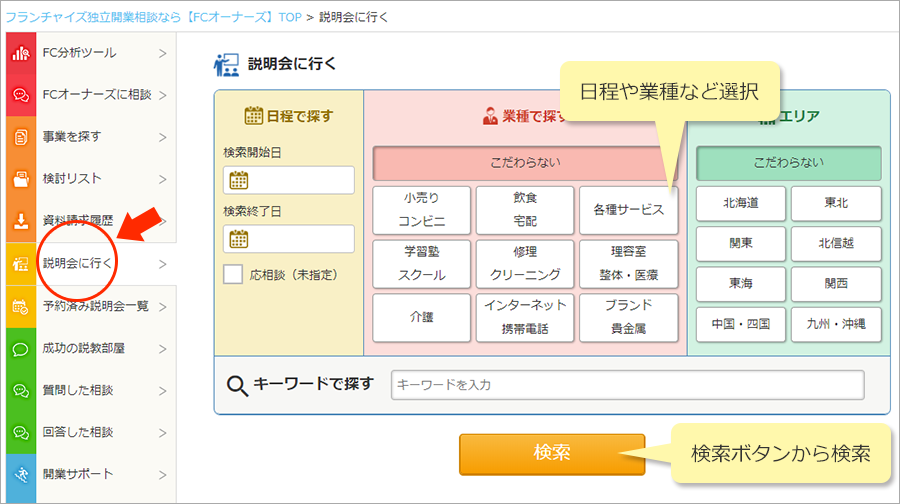
Search for currently available information sessions.
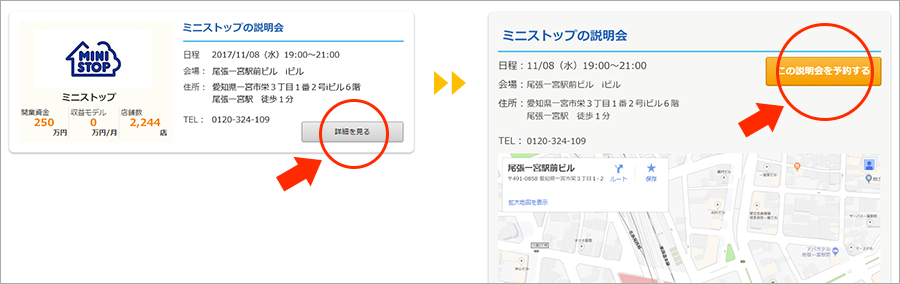
Reserve the information session you wish to attend.
 Success Advice Room
From "Success Advice Room" in the left menu of My Page, check out questions and answers that interest you.
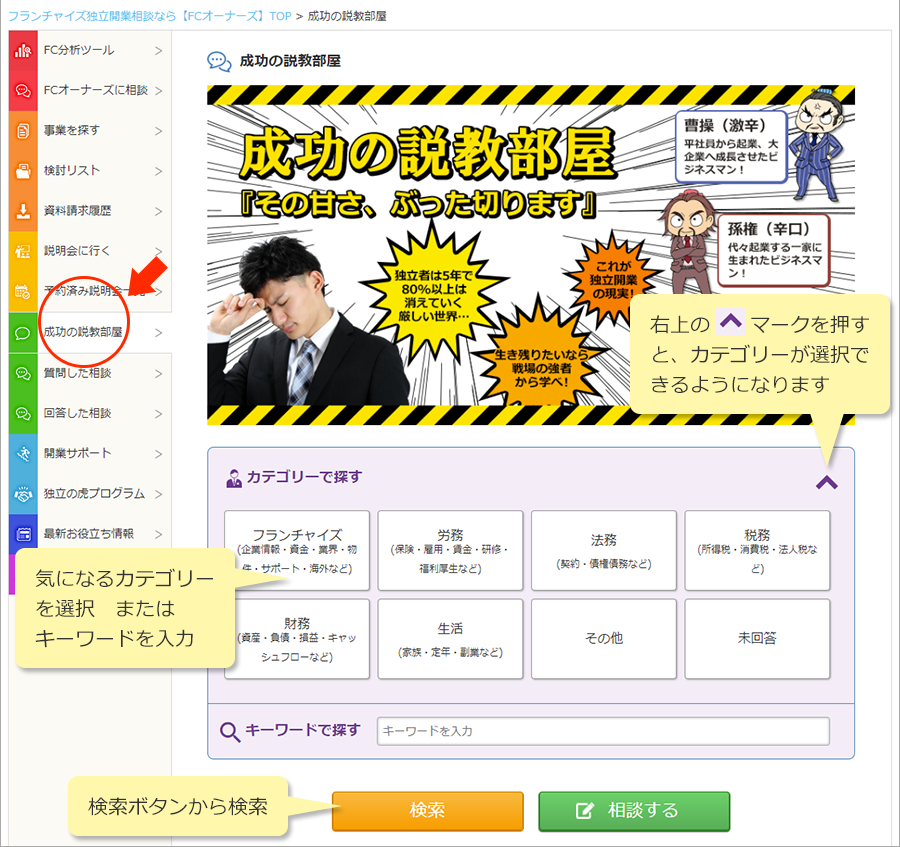
Select a question you are interested in.
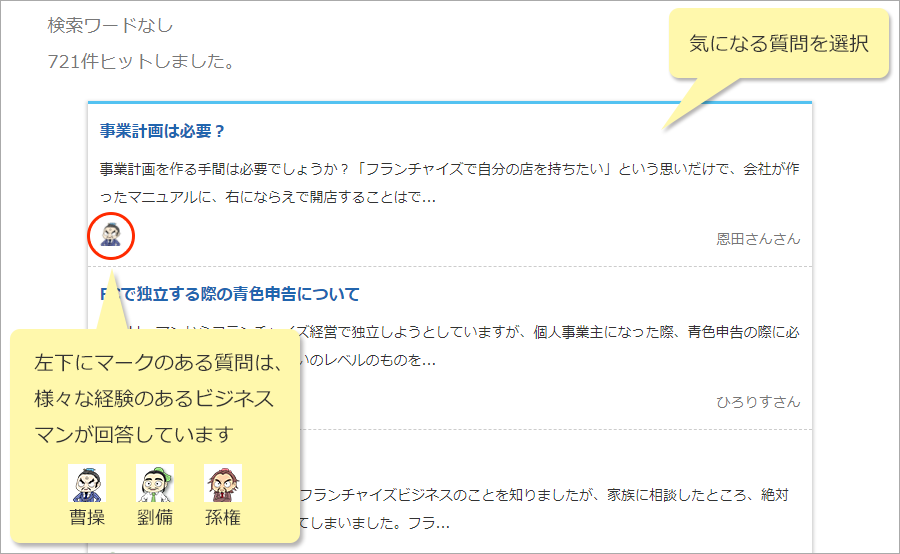
Read the question and answers.
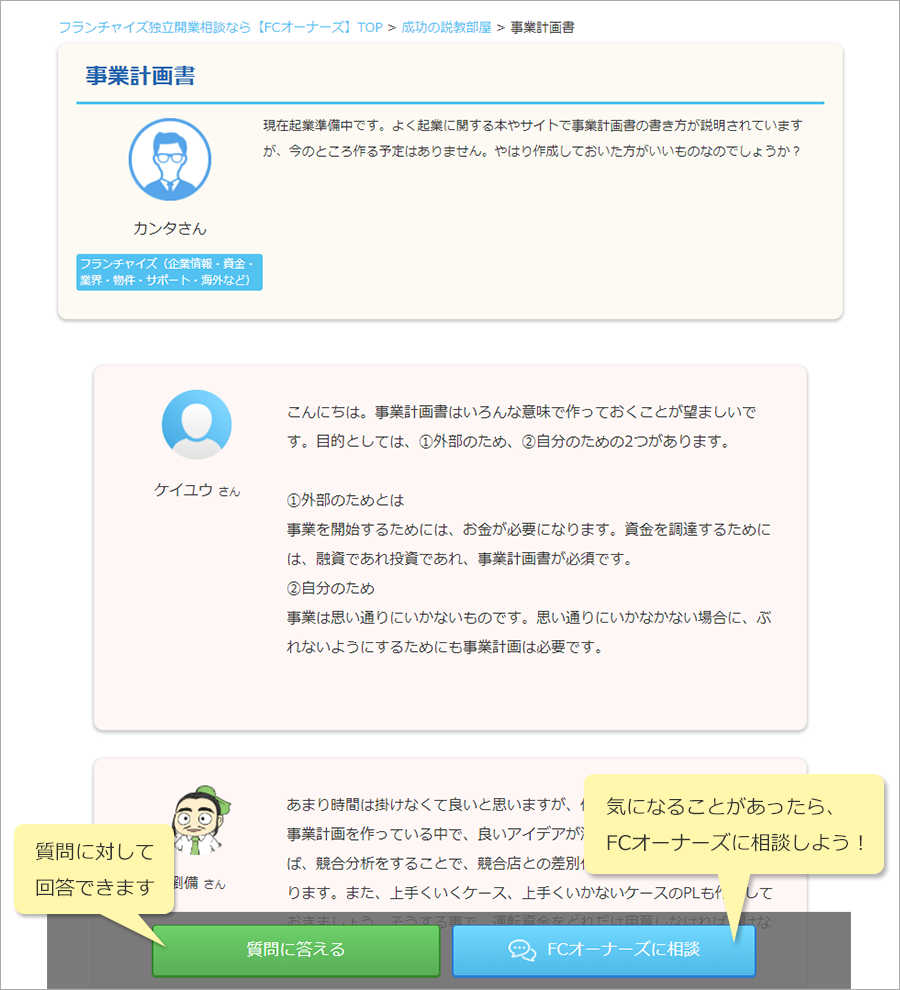
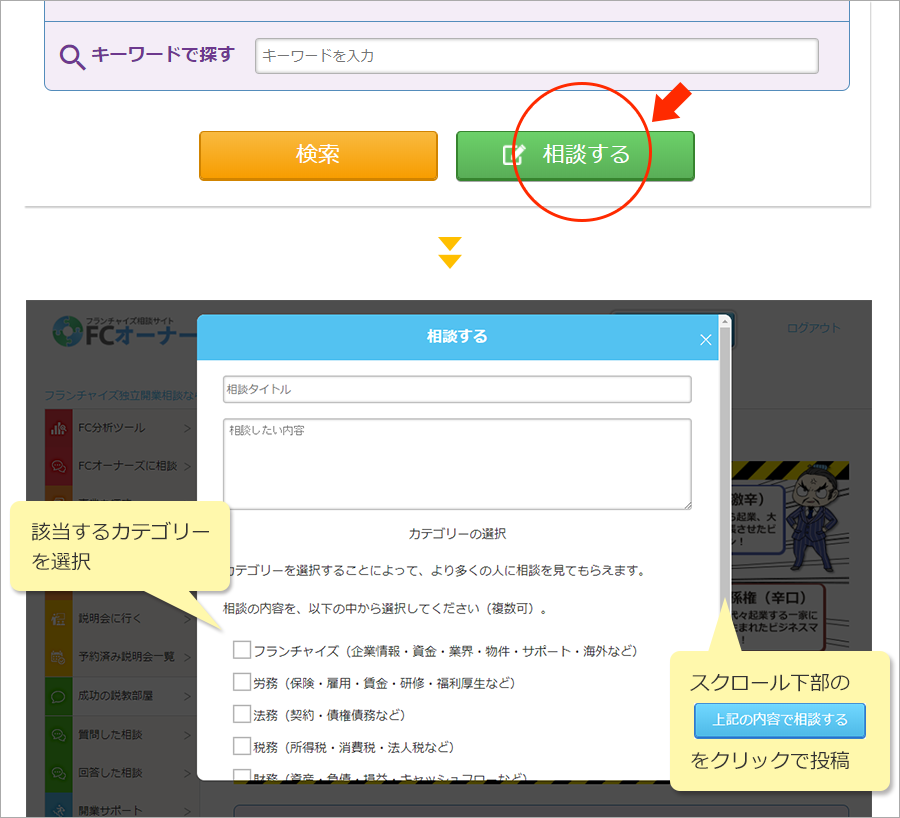
At the bottom of the "Success Advice Room" category search,
Click the "Consult" button
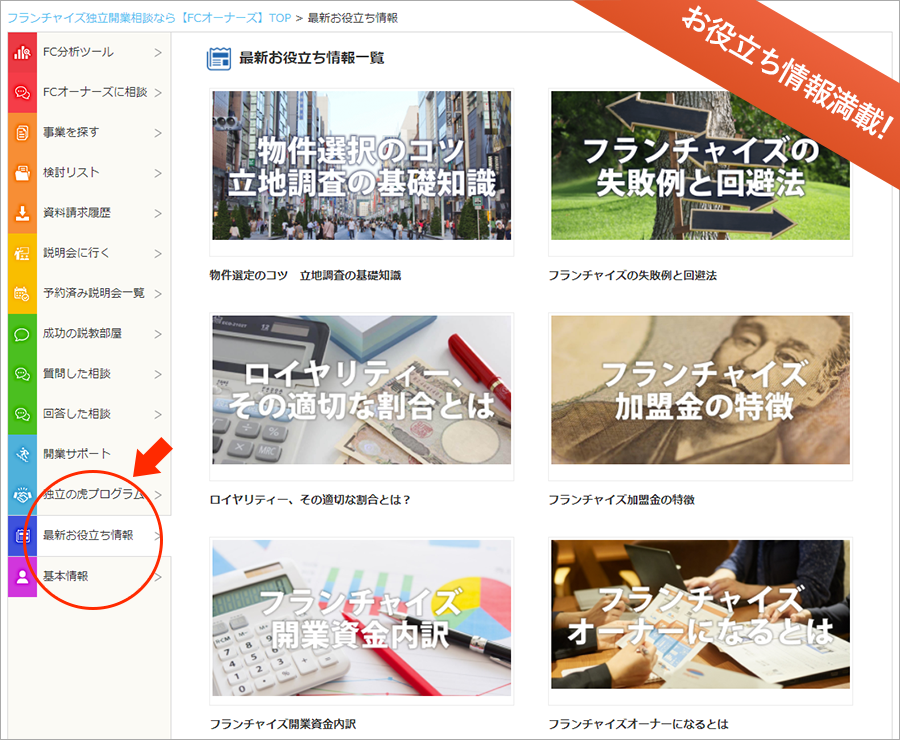
 Helpful Information
From "Latest Helpful Information" in the left menu of My Page, get useful information about franchising.
 Usage Guide for Franchisors
FC Owners is a [self-service, free platform].
Franchisors can list, edit, and delete brands themselves.
No listing fees are charged whatsoever, so please make full use of it.
Basic UsageMembership registration can be done entirely for free.
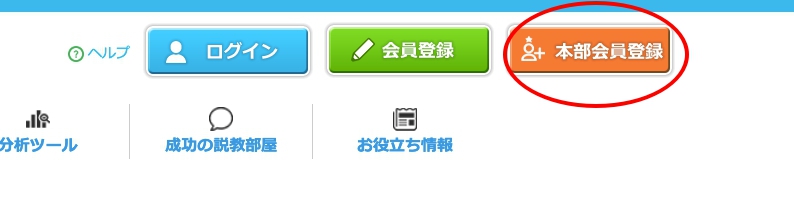
Click the "Franchisor Membership Registration" button at the upper right of the site top page.
Enter the required items and click the "Create New" button.
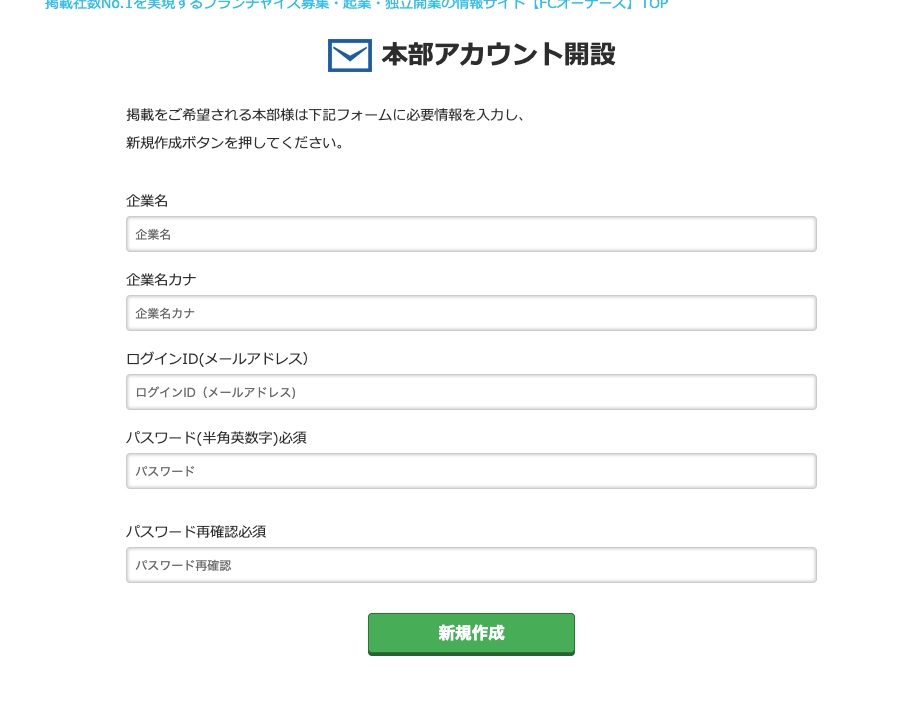
An email containing the login URL for the admin screen will be sent to the email address you provided.
Enter your registered ID and password to log in.
*Please make sure you can receive emails from info@fc-owners.com.
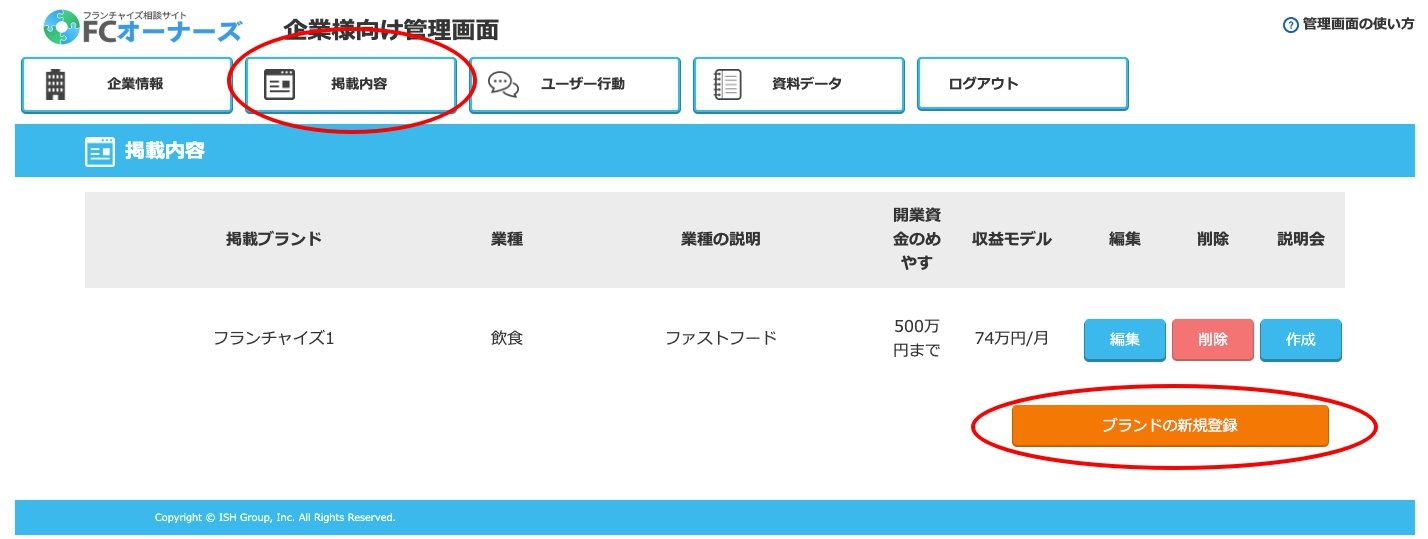
Once registration is complete and you log in, you will be able to register new brands on the franchisor admin screen.
Register a new brand from "Register New Brand" in the "Listing Content" tab.
For more detailed instructions, please refer to "How to Use the Admin Screen" at the upper right of the admin screen.
Note: When listing a brand for the first time, it may take time (up to 24 hours) for the information to be reflected. Thank you for your understanding.
Other Inquiries
If you have any problems with how to use the service or with the service itself, please contact us below.




 Help
Help